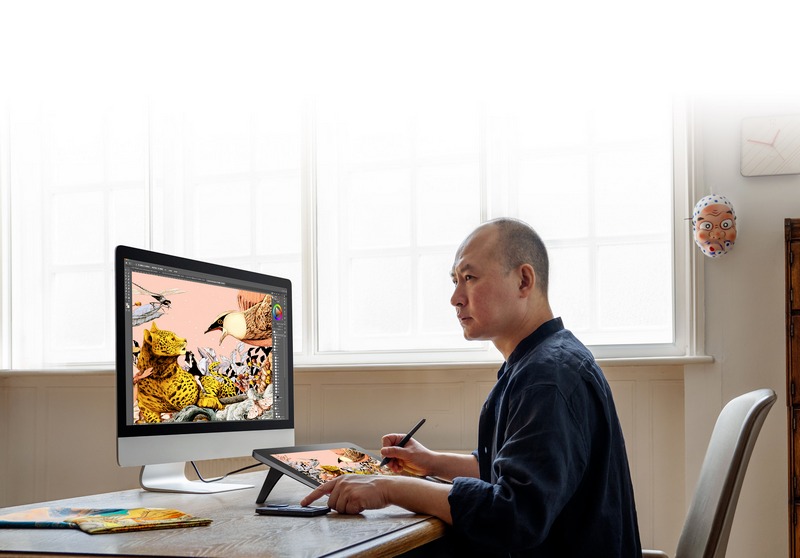
For PC-based creators and designers, the drawing tablet is no longer a niche accessory — it is a core creative tool. Whether you’re a digital illustrator, UI/UX designer, animator or 3D sculptor or photo retoucher, a well-paired drawing tablet for PC can dramatically improve precision, speed, and comfort.
Unlike mobile tablets, PC drawing tablets are more dependent on stable drivers, an accurate stylus and software integration. Choosing the right one isn’t about buying the most expensive model; instead, it’s about selecting a device that reflects how you actually create.
This guide looks at how modern drawing tablets enhance PC workflows, followed by carefully selected XPPen models that excel in different creative scenarios.
How PC Creators Use Drawing Tablets Differently
PC creators often work in more complex environments than mobile users. Multiple monitors, keyboard shortcuts, external GPUs and heavy software also affect the ways a tablet is utilized. Due to this, a drawing tablet for PC needs to satisfy several workflow-specific requirements:
Precision Over Portability
PC users value accuracy, pressure sensitivity and low latency when they use a stylus rather than battery life or becoming extremely thin. Long creative sessions demand consistent performance.
Software-Heavy Workflows
Everything from Adobe Photoshop and Illustrator, to Blender, ZBrush and Clip Studio Paint – PC creatives need a powerful app. Tablets must support pressure, tilt, and shortcut customization seamlessly.
Ergonomic Setup
Unlike casual sketching, PC creation often involves hours at a desk. The adjustable stands, customizable express keys and size of the screen all contribute to less fatigue as well.
Pen Display vs Graphics Tablet: A PC-First Perspective
Before choosing a specific model, PC creators should decide between two core tablet types:
- Pen Display Tablets
These allow you draw directly on the screen. They’re for illustrators, concept artists and designers who want a natural hand-eye relationship. - Graphics Tablets (No Screen)
These depend upon an external monitor. Many professional designers prefer them for precision tasks like photo editing, vector work, or animation cleanup.
XPPen offers strong options in both categories, making it easier to build a PC-optimized setup.
Best XPPen Drawing Tablets for PC Creators
Below are XPPen tablets that perform exceptionally well on Windows-based systems, each serving a different creative role.
XPPen Artist Pro 16 (Gen 2): Precision for Daily Professional Use
For PC creators who want a reliable pen display without committing to a massive screen, the Artist Pro 16 (Gen 2) strikes an excellent balance.
Why it works well on PC:
- High-resolution laminated display minimizes parallax.
- X3 Pro Smart Chip Stylus technology delivers consistent, precise pressure sensitivity.
- Compact enough for standard desks while still offering a comfortable drawing area.
- Seamless integration with Windows creative software.
This model is ideal for illustrators, game artists, and designers who spend long hours drawing and want consistent performance without excessive desk requirements.
XPPen Artist Pro 24 (Gen 2) 4K: Built for High-Intensity PC Workstations
Made with creative professionals in mind who need to process a tougher workload, the XPPen Artist Pro 24 (Gen 2) 4K pen display can cater to the core of a professional PC workstation.
Best suited for:
- Large-scale illustration and concept art
- Multi-panel comics, manga pages, and storyboard layouts
- Design activities that have devouring accuracy need and use more than one tool palette on screen
Featuring a 24-inch, 4K resolution display, artists have an ultra-sharp, vast medium on which to create, which largely eliminates the need for constant zooming and panning. Even at native scale, delicate detail is sharp; for linework and color keys, it’s dynamite.
XPPen Artist 13.3 Pro: Flexible and Space-Efficient
Not all PC creators have room for a large display tablet. The Artist 13.3 Pro has a smaller footprint while maintaining professional-grade stylus performance.
Key strengths:
- Built-in 8 shortcut keys and a red control dial reduce keyboard reliance.
- Portable enough to move between workspaces.
- Reliable 8192 pressure levels and 60-degree tilt support for expressive drawing.
This tablet is perfect in any sort of hybrid setup where creators shift from mouse to keyboard, and back to stylus all day long.
XPPen Deco 01 V3: A Graphics Tablet for Precision-Focused PC Designers
Those whose design style priorities accuracy and control over free drawing on the screen are well catered for by the XPPen Deco 01 V3 graphics tablet.
Why PC designers choose it:
- A generously sized active area that enhances cursor precision.
- Programmable shortcut keys that streamline repetitive actions.
- Excellent performance for vector graphics, photo editing, and UI design.
Because it doesn’t include a display, the Deco 01 V3 naturally complements high-resolution monitors and dual-screen PC arrangements. It’s particularly useful to professionals who rely on calibrated displays and want the familiar experience of a pen without taking up extra screen space.
XPPen Star G640: Practical Entry-Level Tool for PC Creators
For students, beginners, or creators looking for a compact secondary device, the XPPen Star G640 delivers essential drawing functionality in a lightweight form.
Ideal for:
- Quick sketching and idea development
- Online teaching, annotation, and note-taking
- Basic illustration and light design tasks
Being an entry-level tablet, the Star G640 still provides pressure-sensitive pen input and is compatible with Windows-based software for drawing, painting and other creative activities. This no-fuss device is easy to set up, responsive, and a straightforward starting point for integrating digital drawing into any PC workflow.
Comparing XPPen Tablets for PC Use
| Model | Type | Screen Size | Pressure Levels | Best For |
| Artist Pro 16 (Gen 2) | Pen Display | ~16″ | High-level | Daily professional illustration |
| Artist Pro 24 (Gen 2) 4K | Pen Display | 24″ | High-level | Large-scale PC workstations |
| Artist 13.3 Pro | Pen Display | 13.3″ | High-level | Compact, flexible setups |
| Deco 01 V3 | Graphics Tablet | No screen | High-level | Precision design work |
| Star G640 | Graphics Tablet | No screen | Standard | Entry-level PC creators |
Optimizing a Drawing Tablet for PC Performance
To get the most out of a drawing tablet for PC:
- Install official drivers from XPPen’s global site to ensure pressure and shortcut support.
- Customize express keys to reduce repetitive keyboard use.
- Adjust Windows display scaling to match your tablet’s resolution.
- Use tablet-friendly software settings, such as enabling Windows Ink where required.
Small configuration changes can significantly improve comfort and accuracy.
Final Thoughts
A drawing tablet for PC isn’t only an instrument — it’s the alter ego of your tree, thought and creation. The perfect tablet should feel like there’s nothing between you and your ideas.
XPPen’s range covers nearly every PC creative scenario:
- Large pen displays for immersive artwork
- Compact displays for flexible setups
- Screen-less tablets for precision-driven design
By focusing on how you actually work, not just specs, you can select a tablet that enhances your creativity rather than complicating it. For a PC creator and designer, that alignment is what makes digital tools become true artistic extensions.
